If your child is ready to start coding, you've probably seen two names come up again and again: Scratch and Python. Both are excellent. But they're built for different stages — and picking the right one is the difference between a child who lights up and a child who gets frustrated.
Here's a simple, jargon-free guide to help you choose.
The short answer
- Younger kids (about ages 6–9), or complete beginners → start with Scratch.
- Older kids (about 9 and up) who read and type comfortably, or who've outgrown Scratch → move to Python.
That's the quick version. Now let's make it make sense.
What is Scratch?
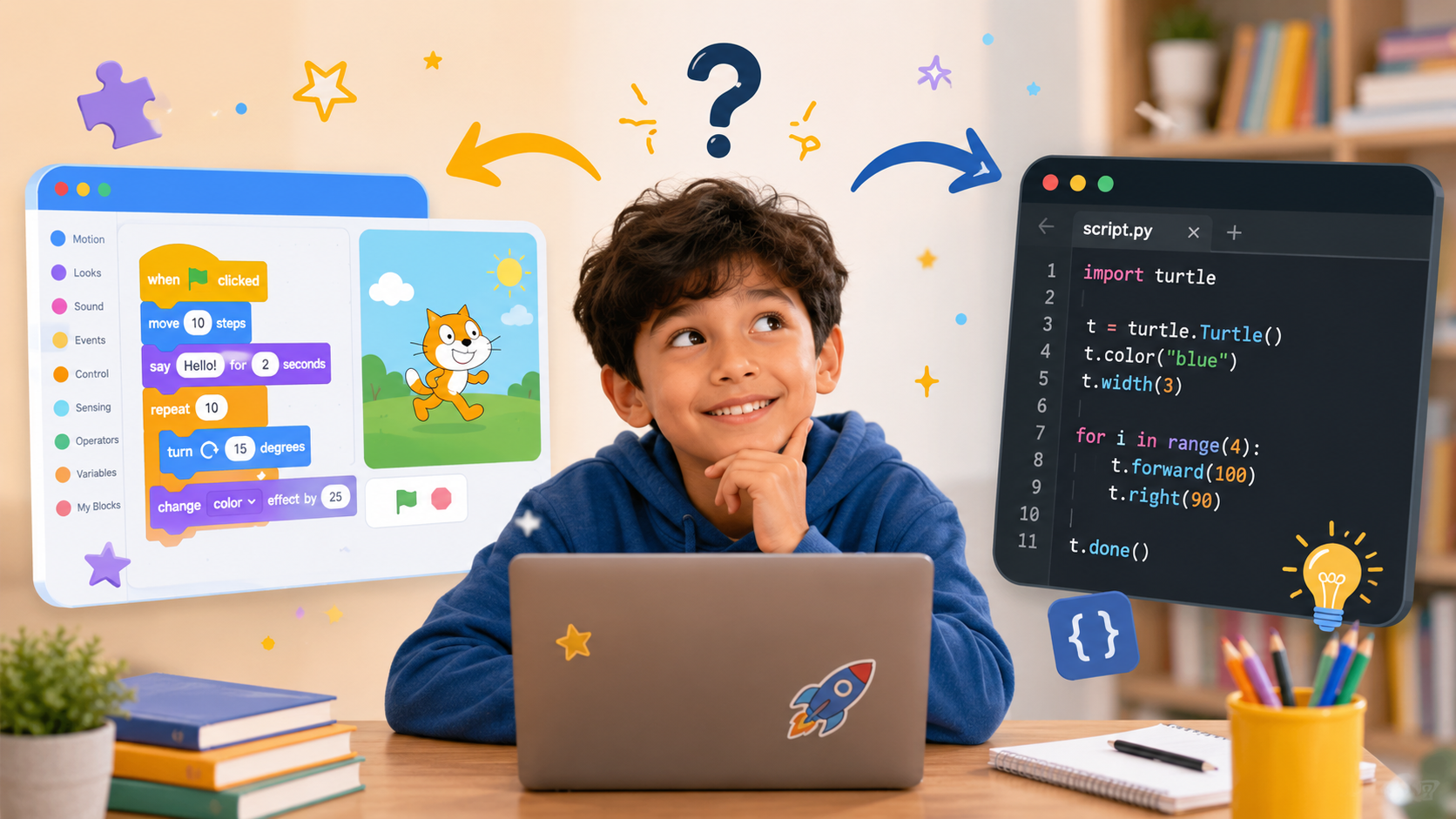
Scratch is a "block-based" coding language made by MIT. Instead of typing code, kids drag and snap colorful blocks together — like digital LEGO. Each block is an instruction: "move 10 steps," "play a sound," "if touching the edge, bounce."
Best for: first-time coders and younger kids who aren't yet confident readers or typers.
What kids build: animated stories, cartoons, and their own games — often in the very first lesson.
Why parents love it: there's no typing to get stuck on and nothing to "spell wrong." Kids focus purely on the ideas — sequence, cause and effect, problem-solving — while making something fun they can show off.
What is Python?
Python is a "text-based" language — kids type real code, the same language used by professional developers at companies like Google, Netflix, and NASA. It was designed to be readable, which makes it the friendliest first typed language.
Best for: kids who are comfortable reading and typing, and who are ready for a real-world skill.
What kids build: real programs — number games, quizzes, drawings, playable games with graphics, and even simple AI projects.
Why parents love it: Python is a genuine, resume-level skill. It's the language behind AI, data science, and automation — so the time invested carries straight into school, competitions, and future careers.
Scratch vs. Python at a glance
- Best age — Scratch: about 6–9 · Python: about 9 and up
- What it looks like — Scratch: drag-and-drop blocks · Python: typed code
- Reading & typing — Scratch: very little needed · Python: should be comfortable
- Great for — Scratch: first-time coders · Python: the next real step
- What kids build — Scratch: games, stories, animations · Python: games, apps, and AI projects
- Real-world use — Scratch: a learning foundation · Python: a professional language
How do I know my child is ready for Python?
You don't need to guess. Look for these signs:
- They read and type without much frustration.
- They've built a few Scratch projects and seem bored, or want "real" coding.
- They ask how apps, games, or AI actually work.
- They're around 9 or older (some motivated 8-year-olds are ready too).
If most of these sound like your child, Python is a great next step. If not, Scratch will build the exact foundation that makes Python easy later.
The best part: it's not either/or
This isn't a decision you make once and live with forever. The smoothest path is usually Scratch first, then Python. The thinking skills kids learn snapping blocks together — sequences, loops, logic — are the same skills they'll use typing Python. Scratch makes Python easier.
So if your child is young, starting with Scratch isn't "settling" — it's setting them up to fly later.
What to do next
Still not sure where your child fits? That's normal — and it's exactly what a quick, free placement chat is for. Tell us your child's age and experience, and we'll recommend the right starting point. No pressure.